Nordstrom Rack
- 4.8
- Rating
- 1.00M
- Installs
- Free
- Price

 Analysis by App-foxy
I approached Nordstrom Rack as a practical shopping app rather than a digital version of a department-store visit. Its main appeal is straightforward: it puts Nordstrom Rack’s discounted brand assortment on an Android phone, so I can browse offers when I have a few spare minutes instead of waiting until I am near a store. The app is free, made by Nordstrom, Inc., and sits in the Shopping category for Everyone.
That sounds simple, but the difference is noticeable when I already know the kind of item I want. I can use a quiet moment to look for clothing, shoes, accessories, or other available products, check the details, and decide whether it is worth continuing. I would not describe it as a fashion-planning tool or a personal stylist. I see it as a convenient way to explore Nordstrom Rack’s selection and act when something suitable appears.
What to expect from the Nordstrom Rack shopping experience
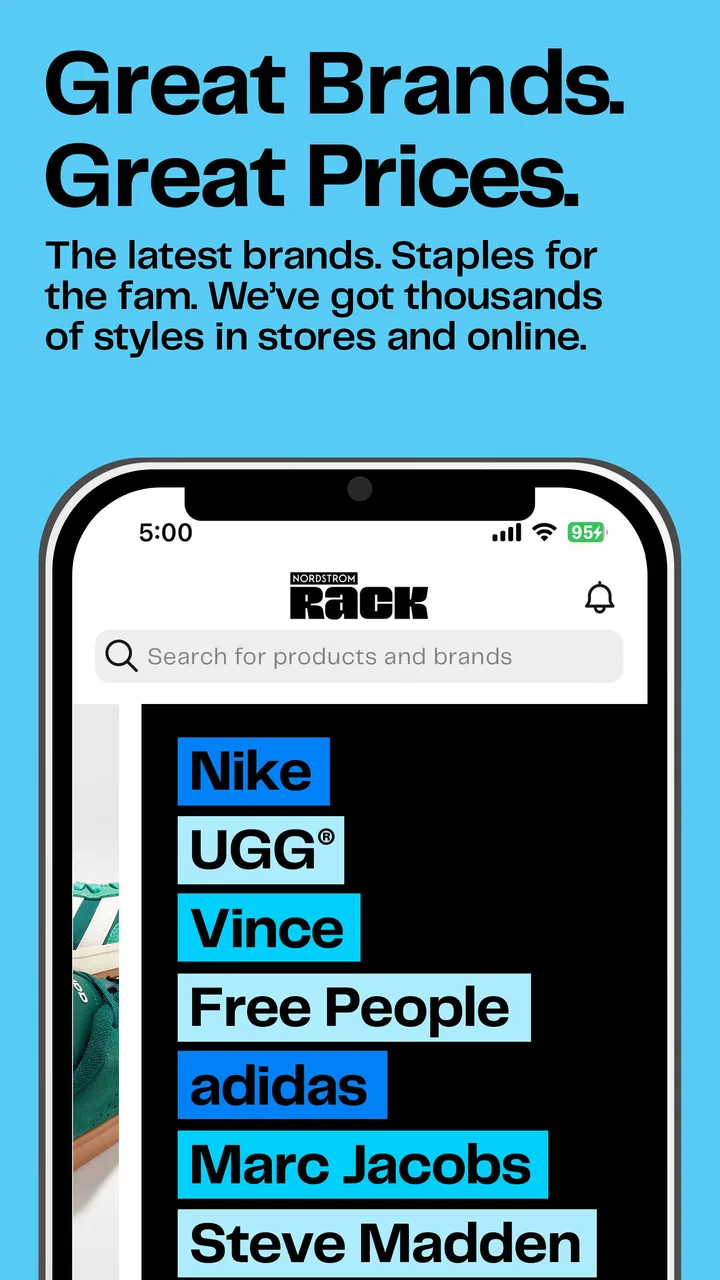
The app is best understood as a mobile storefront focused on value-conscious shopping. The store’s summary promises access to recognized brands at lower prices, and that idea shapes how I use it: I browse with a specific need in mind, compare what I find, and avoid treating every attractive listing as an automatic bargain. A reduced price is only useful if the item, size, color, and fit work for me.
You May Also Like

 Blood Strike: 2.5 Anniversary
Blood Strike’s Loadouts Turn Every Drop Into a Tactical Gamble
A close look at Blood Strike’s custom loadouts: how fast access to signature weapons reshapes its battle royale rhythm, rewards preparation, and narrows the gap between fights.

 Pandora - Music & Podcasts
Pandora’s Music Is Easy to Start, but Harder to Recover
Pandora’s strength is its low-effort path from a seed to a station. Its weak spot is how much confidence it asks you to place in connection, setup, and quiet recovery.

 8 Ball Pool
 Is Built on Rivalries, Rematches, and Routine
A close look at the rivalries, rematches, shared routines, and unanswered safety questions that turn a quick pool match into a persistent mobile community.

 Samsung Music
’s Quiet Strength Is Playing What You Already Own
Its reach comes less from spectacle than from dependable access to a personal library. That simplicity is both the app’s strongest retention engine and its ceiling.

 AccuWeather: Weather Radar
AccuWeather Review: A Quick, Clear Forecast for Everyday Decisions
For everyday plans, the best forecast is the one you can understand quickly. AccuWeather makes rain timing, radar, and local conditions easy to act on, with a few trade-offs.

 Hill Climb Racing
Why Hill Climb Racing Still Turns Crashes Into One More Run
A tiny car, a bumpy hill and one more upgrade: Hill Climb Racing keeps resurfacing because its simple chaos makes every near-miss feel personal.
More From Our News Desk
View All News


One reassuring sign is its established presence. The app has passed one million installs and holds a 4.8 average from roughly fifteen thousand ratings, with about 2.7 thousand written reviews. Those figures do not guarantee that every shopping session will be perfect, but they suggest that the app is familiar to a substantial Android audience rather than being an experimental download.
It has been available since November 16, 2015, and the current version is 11.31.1.87. On a compatible Android phone, the minimum operating system is Android 8.0. I would check that requirement before troubleshooting anything, especially if the phone is older. The app itself costs nothing to install, which makes it easy to test without committing money before I know whether its browsing style suits me.
My expectations would be different from those I have for a general marketplace. Nordstrom Rack is a focused retailer, not a place where independent sellers compete across endless categories. That focus can make shopping less chaotic, but it also means I should not install it expecting the broadest possible selection of household goods, local listings, or used products. If I want a particular type of branded bargain, it makes more sense.
Who will get the most from it
I think the app is especially useful for someone who already shops at Nordstrom Rack, follows certain brands, or prefers to browse discounted fashion from a known retailer. It can also help a practical shopper who wants to check options before making a trip to a physical location. Looking first on a phone can prevent a wasted journey when I am searching for a general category rather than a very specific item.
It is less suitable for someone who needs guaranteed availability in a particular size or wants a highly personalized recommendation system to do all the work. Discount retail often rewards flexibility. If I insist on one exact product, exact color, and exact fit, the app may be more useful for confirming possibilities than for promising a result.
Installing it without overthinking the first visit
Because the app is free and rated Everyone, the initial decision is low-risk for most users. I would install it on a supported Android device, open it, and take a moment to understand the layout before searching. My first goal would not be to create a perfect wish list or explore every department. I would choose one realistic shopping mission, such as finding a pair of shoes for work or looking through discounted jackets.
That narrow starting point matters. Shopping apps can become tiring when I scroll without a purpose, particularly when the available assortment changes. A simple target gives me a way to judge the app fairly: can I find relevant products, understand the information shown, and move toward a purchase decision without confusion?
I would also keep my expectations realistic about discounted inventory. A lower price may come with fewer choices in size or color, and a product that looks ideal while browsing may not remain available when I return. I do not interpret that as a reason to avoid the app; I treat it as a reason to make notes about useful items and act promptly when the match is good.
From first search to a useful shopping result
I find the first search most useful when it starts with a real need, not a general hunt for bargains. A focused query makes it easier to judge whether the options suit my size, purpose, and budget—and gives me a sensible way to compare them before deciding what deserves a closer look.
Start with one concrete search
My recommended first action is to search for a category rather than a vague idea. “Running shoes,” “men’s sweaters,” or “handbags” gives the app a clearer job than simply browsing everything. Once I see results, I can narrow my attention by the details that actually matter to me: size, color, brand, purpose, and acceptable price.
This is one of the most useful habits with a discount retailer. I do not begin by asking whether an item is cheap. I first ask whether it solves my need. A jacket that costs less but does not fit my usual wardrobe is not a successful find. The app works better when I use it as a filter for decisions, not as an endless stream of tempting images.
When I open a promising product, I slow down and read the listing rather than relying only on the photograph. I look at the available variations, description, and any information that helps me judge fit or use. For clothing and footwear, this step is particularly important because a discounted item is not a good deal if I would return it simply because I guessed incorrectly.
A realistic first-use scenario
Imagine I need something presentable for a work event but do not want to pay full department-store prices. I would open the app during a commute or lunch break, search for a suitable clothing category, and scan the results for styles that fit the occasion. Instead of opening every listing, I would shortlist a few based on size availability and appearance.
Next, I would compare those products on the details that affect the real decision: material information, color, fit notes, and the final purchase path. If one item looks right, I would save or otherwise keep track of it using whatever shopping controls are available in the current app experience, then revisit the shortlist before deciding. The important workflow is not simply “find a low price”; it is “reduce several possibilities to one item I can confidently use.”
If I were considering a store visit, I would use the app beforehand to understand what kind of selection is currently visible. I would still avoid assuming that an online result automatically means a particular nearby store has the same item. That distinction prevents a common disappointment: treating mobile browsing as a guaranteed inventory check for a physical location.
Three habits that make the app more useful
- Search by need first, brand second. Starting with the item I need helps me notice suitable alternatives instead of becoming locked onto one familiar label.
- Check the complete product information before celebrating the discount. The practical value depends on fit, variation, and intended use, not only the displayed reduction.
- Keep a short comparison list rather than a huge one. A few realistic candidates are easier to evaluate than dozens of impulse saves, especially when availability can change.
These habits are small, but they address a trade-off that is easy to miss. A broad bargain assortment creates discovery, yet it can also create decision fatigue. I get better results when I use the app to narrow choices deliberately instead of expecting it to tell me which purchase is right.
Where first-time users may hesitate
The most likely confusion is assuming that a retailer’s app behaves like a universal shopping search engine. It does not need to show every possible product category, and it is not designed to combine unrelated sellers into one giant marketplace. Its value comes from the specific Nordstrom Rack context, so I would judge it by how efficiently it helps me browse that retailer’s assortment.
Another point of friction is the difference between seeing an item and being able to buy the exact version I want. A product page may look promising, but the relevant size or color can determine whether it is genuinely available to me. I make a habit of selecting those details before I mentally count the item as found.
I also would not confuse a low price with a complete shopping decision. For clothing, I still need to think about how the item fits with what I own, whether the style suits the occasion, and whether the material seems appropriate. The app can bring the option to my attention; it cannot replace that judgment.
How it compares with usual alternatives
Compared with visiting a store without preparation, the app is more convenient for initial browsing. I can explore at my own pace, revisit a product, and avoid spending time walking through departments that are irrelevant to my goal. That is the clearest advantage for me.
Compared with a general marketplace app, it offers a narrower but more coherent shopping environment. I would choose a general marketplace when I need the widest selection, multiple seller options, or products outside Nordstrom Rack’s focus. I would choose this app when discounted branded fashion from this retailer is the actual objective and I prefer not to sort through unrelated listings.
Compared with a brand-specific full-price store app, the appeal is different. I am more likely to find value and unexpected alternatives here, but I may need to be more flexible about exact models, colors, or sizes. Someone who wants a newly released item in a precise configuration may be better served by the brand’s own retail channel.
Questions I would answer before installing
Is it free to use? Yes, the app is free to download. That makes it reasonable to install simply to see whether the assortment and browsing experience match my shopping habits.
Will it suit an older Android phone? It requires Android 8.0 or later. If the device runs an earlier version, I would not expect a smooth installation path and would check compatibility before spending time troubleshooting.
Is it appropriate for younger users? Its content rating is Everyone. That describes the app’s age classification, while purchases and personal shopping decisions still belong with the responsible account holder.
Can it replace going to a store? For browsing and narrowing down ideas, often yes. For checking the exact in-store availability or judging fit in person, I would still treat a physical visit as useful when that distinction matters.
Should I use it if I dislike browsing? Probably not as my main shopping method. The app is most valuable when I am willing to compare options and make a considered choice. If I want a single guaranteed item with no exploration, a more direct retailer or a store visit may be less frustrating.
What I would do after the first successful find
Once I find one item that genuinely fits my need, I would not immediately return to broad browsing. I would review the product information again, confirm the selected variation, and make sure the purchase details are clear before continuing. This second look is especially worthwhile with discounted clothing, where a small mistake in size or color can undermine the apparent bargain.
After that, I would use the app according to my shopping rhythm. A planned visit might begin with a quick search for ideas, while a gift purchase might involve comparing several categories before settling on something appropriate. I would keep the app installed if it saves me repeated effort; if it only encourages aimless scrolling, removing it would be a sensible choice.
My overall view is positive, with a clear qualification: Nordstrom Rack is strongest when I use it as a focused bargain-finding tool, not as an unlimited shopping universe. Its free access, established Android support, and strong user response make it easy to try. The real benefit comes from approaching it with a specific need, checking the details carefully, and accepting that discounted inventory may reward flexibility.
For a first-time user, I would begin with one category, one practical goal, and a short comparison. That path gets me to a meaningful result faster than browsing every department. If I regularly look for branded fashion at lower prices, the app is worth keeping close. If I need absolute certainty about a particular item or the broadest possible marketplace, I would use it alongside another shopping option rather than depending on it alone.
FAQs for Nordstrom Rack
01What is Nordstrom Rack and how does it work?
Nordstrom Rack is a shopping app that offers discounted prices on high-quality fashion items from the Nordstrom brand. Users can browse through various categories including clothing, shoes, accessories, and more. The app allows you to make purchases directly, track your orders, and get notifications on the latest sales and promotions.
02Is the Nordstrom Rack app free to download and use?
Yes, the Nordstrom Rack app is free to download on both Android and iOS platforms. While the app itself doesn’t require any fees, the products available for purchase within the app will cost money depending on the items you choose to buy.
03How user-friendly is the Nordstrom Rack app?
The Nordstrom Rack app is designed to be user-friendly with an intuitive interface. It features easy navigation through its categories, a simple checkout process, and personalized recommendations based on your preferences. Most users find it straightforward to browse and shop using the app.
04What are the shipping and return policies when ordering through the Nordstrom Rack app?
When ordering through the Nordstrom Rack app, shipping costs and options will be displayed at checkout. The app often offers free shipping promotions. As for returns, users can return items within a specified period, typically 45 days, either by mail or in-store, depending on Nordstrom Rack’s policy at the time.
05Are there any special features or benefits to using the Nordstrom Rack app?
The Nordstrom Rack app offers several special features like exclusive app-only deals, easy order tracking, and the ability to create wish lists. Users also benefit from personalized recommendations and early access to sales, making it a convenient tool for fashion-savvy shoppers looking to score great deals.
Pros
- User-friendly interface with intuitive navigation.
- Extensive collection of discounted designer brands.
- Frequent updates with new inventory and deals.
- Easy-to-use search and filtering options.
- Secure checkout process with multiple payment options.
Cons
- Occasional app crashes during high traffic.
- Limited size availability for popular items.
- Some users report slow loading times.
- Infrequent customer service response times.
- Notifications can be overly frequent and intrusive.

Nordstrom Rack
Gallery